
Pages and forms for enquiries
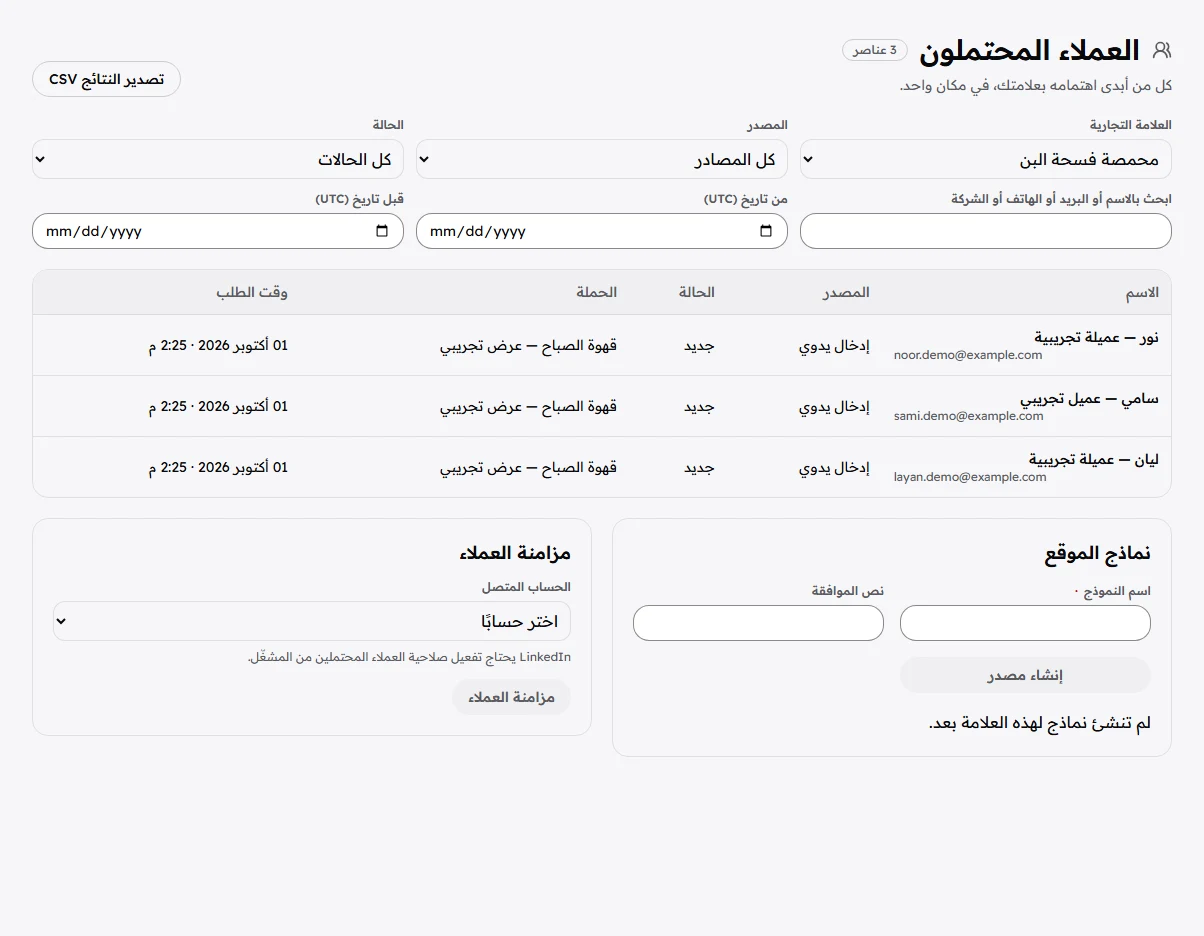
Create an enquiry page or connect website forms and lead sources. Keep each enquiry with its origin.
Customers & orders
Follow enquiries and their sources. See who needs a reply or a follow-up. For store orders, keep status, payment and delivery in view.
WHAT YOU GET
Create an enquiry page or connect website forms and lead sources. Keep each enquiry with its origin.
Review customer details and status. Set prepared answers and reply paths for connected conversations, with review based on brand rules.
Follow confirmation, preparation and delivery. Record payment or refund status and add off-store orders manually.
HOW YOU GET THERE
Lead sources and conversations require connections and permissions. Recording payment or refund status documents the order; it does not automatically move money through a bank.
Access is currently by invitation. We discuss your needs and the appropriate activation when we speak.
KEEP THE JOURNEY GOING
Bring content performance, ads, visits and tracked conversions together to see what to repeat and what to change.